Feature Overview
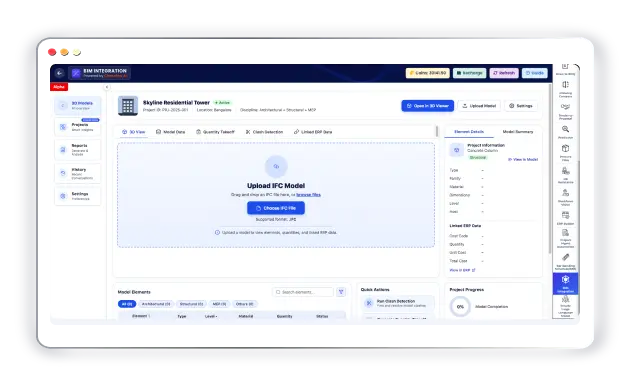
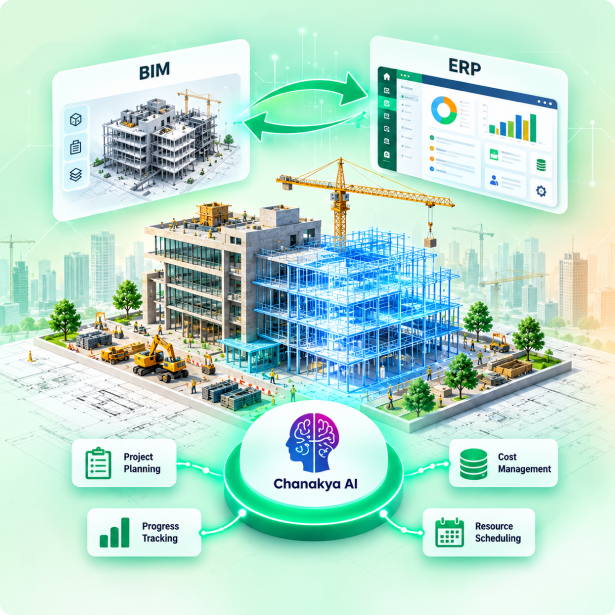
StrategicERP BIM Integration connects Building Information Modeling (BIM) data with ERP workflows to improve visibility across construction projects. By bringing model-based information together with project, procurement, cost, and resource data, it helps teams coordinate activities, align project plans, and make informed decisions throughout the project lifecycle. The feature is designed to support connected project information and collaboration while keeping model accuracy, engineering decisions, and project changes under authorized team review.
Key Capabilities
Connect BIM and ERP data to streamline planning, coordination, and project execution.
BIM Model Integration
Connect supported BIM models and relevant project information with ERP workflows.
Project Data Synchronization
Align available model data with project schedules, activities, and operational information.
Quantity and Material Insights
Use available model quantities to support material planning, estimation, and procurement.
Cost and Budget Coordination
Connect relevant model information with project cost and budget data where supported.
Cross-Team Collaboration
Improve coordination between design, engineering, procurement, and construction teams.
How It Works
A structured path to enterprise intelligence.
1. Connect BIM Data
Import or connect supported BIM models and associated project information.
2. Link with ERP Workflows
Map relevant model data to project planning, materials, costs, procurement, and other supported ERP processes.
3. Coordinate and Execute
Review synchronized information, identify discrepancies, and coordinate project activities across teams.
Business Benefits
-
Better Project Coordination
Improve information sharing between design and execution teams.
-
Improved Planning Accuracy
Use model-based information to support quantities, schedules, and resource planning.
-
Greater Cost Visibility
Connect relevant model data with project financial information.
-
Reduced Information Gaps
Minimize disconnected workflows and improve access to project information.
BIM Integration FAQ
What is BIM Integration with ERP?
It connects Building Information Modeling data with ERP workflows to support project planning, cost management, procurement, and construction execution.
How does BIM Integration improve project coordination?
It helps teams connect model-related information with operational project data, improving visibility and collaboration across departments.
Can BIM data support material and cost planning?
Yes. Available model quantities and mapped project information can support material estimation, procurement planning, and cost reviews, depending on the integration capabilities.
Does BIM Integration provide real-time data synchronization?
Synchronization depends on the supported BIM software, integration method, and system configuration. Available data can be connected according to the configured workflow.
Connect Models. Align Teams. Build Smarter.
Book a Free DemoRelated Features
B2B Growth Engine
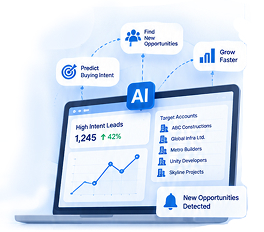
Identifies untapped revenue opportunities and prescribes growth actions using predictive ML models.
- Identify Target Accounts
- Score Leads with AI
- Track Pipeline in Real-time
- Drive Revenue Growth
Tender To Proposal
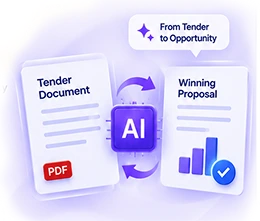
Converts tender documents into winning proposals automatically, with compliance checks and scoring.
- Tender Analysis
- Proposal Generation
- Compliance Checks
- Smart Scoring